This is the same performance dashboard you already use, now rebuilt to be faster and easier. No login. Just tap and go.
Add to your phone (about 30 seconds)
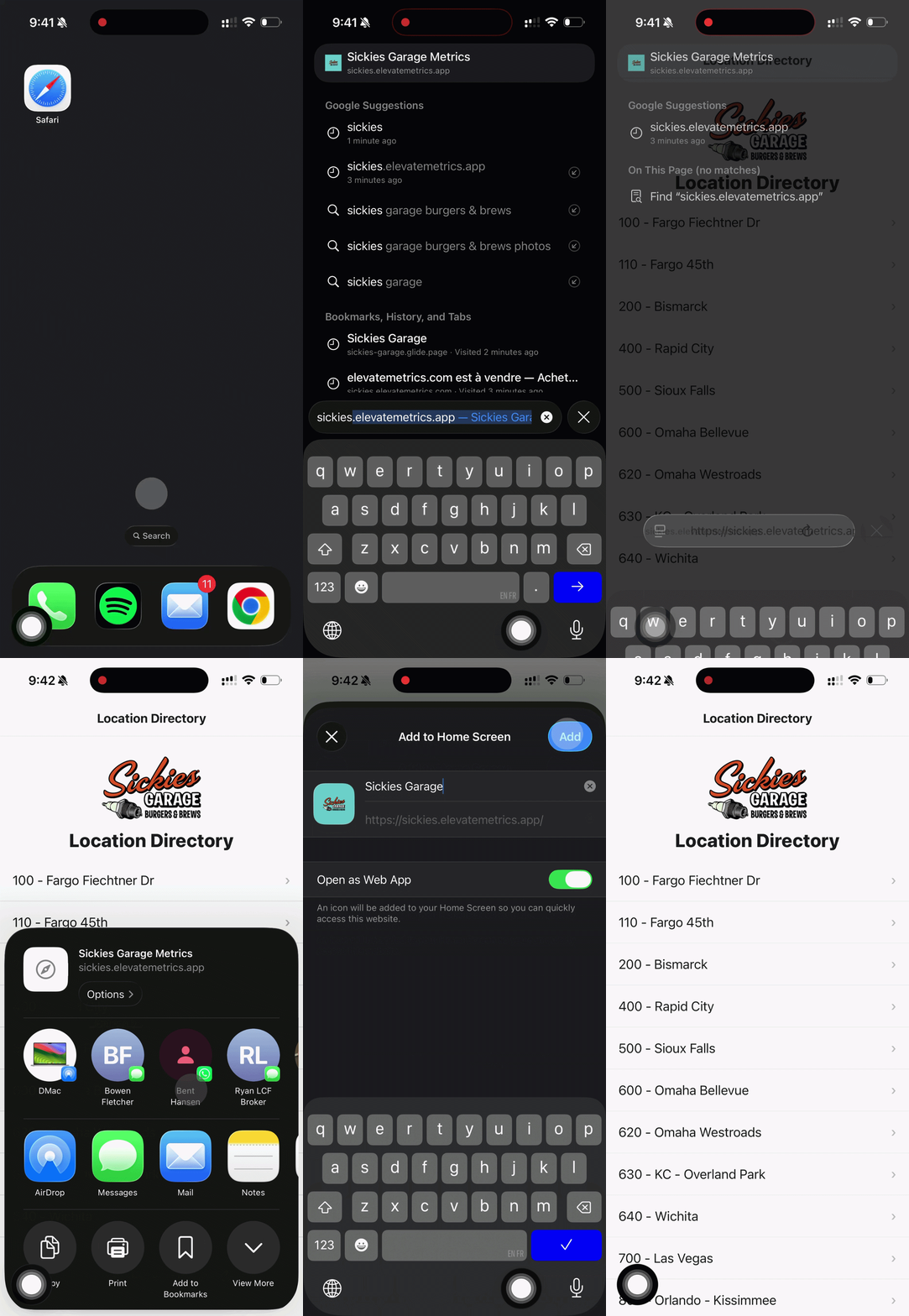
Open Safari and search: sickies.elevatemetrics.app
Tap the three dots in the corner
Tap Share then Add to Home Screen
Tap Add in the top right
Done! A Sickies icon is now on your home screen. Open it anytime and your latest numbers come right up.
You can remove the old app from before and use this one going forward.
Sickies Metrics Installation Guide